

The household,
fairly shared.
Finances, meal plan, pantry, garden and tasks: the category that makes everyday life at home noticeably easier.
What is inside Household
You book the category as a whole and hide modules one by one: switch off what you do not need and it is gone from the app.
Tasks
Share to-dos clearly and fairly, with recurring tasks that rotate by themselves. Everyone knows what is due, and the reminder comes from the app instead of from a flatmate.
GardenComing soon
Your garden in the app: add plants, plan watering and care, record the harvest. Monkly reminds you when something needs water, and the whole group sees what is happening in the beds.
Inventory
From tools to camping gear, sorted into boxes with a QR code on the lid. Loans are tracked, so the power drill actually comes back.
Pantry
Keep your supplies in view so nothing runs out unnoticed. From coffee to toilet paper: whatever drops below your minimum shows up as a suggestion, and you decide what goes onto the shopping list.
Finances
Who paid what and who owes whom is calculated, not guessed. Budgets, recurring costs and a shared kitty, without any spreadsheet fiddling.
Meal plan
Plan the week ahead so the question "what are we cooking today?" is answered calmly. The plan turns straight into a shopping list, and everyone sees what is coming to the table.
Recipes
Collect your favorite recipes in one place and share them with everyone. From a recipe the ingredients move into the shopping list or meal plan with one tap.
How Household works
Recurring chores rotate onward by themselves
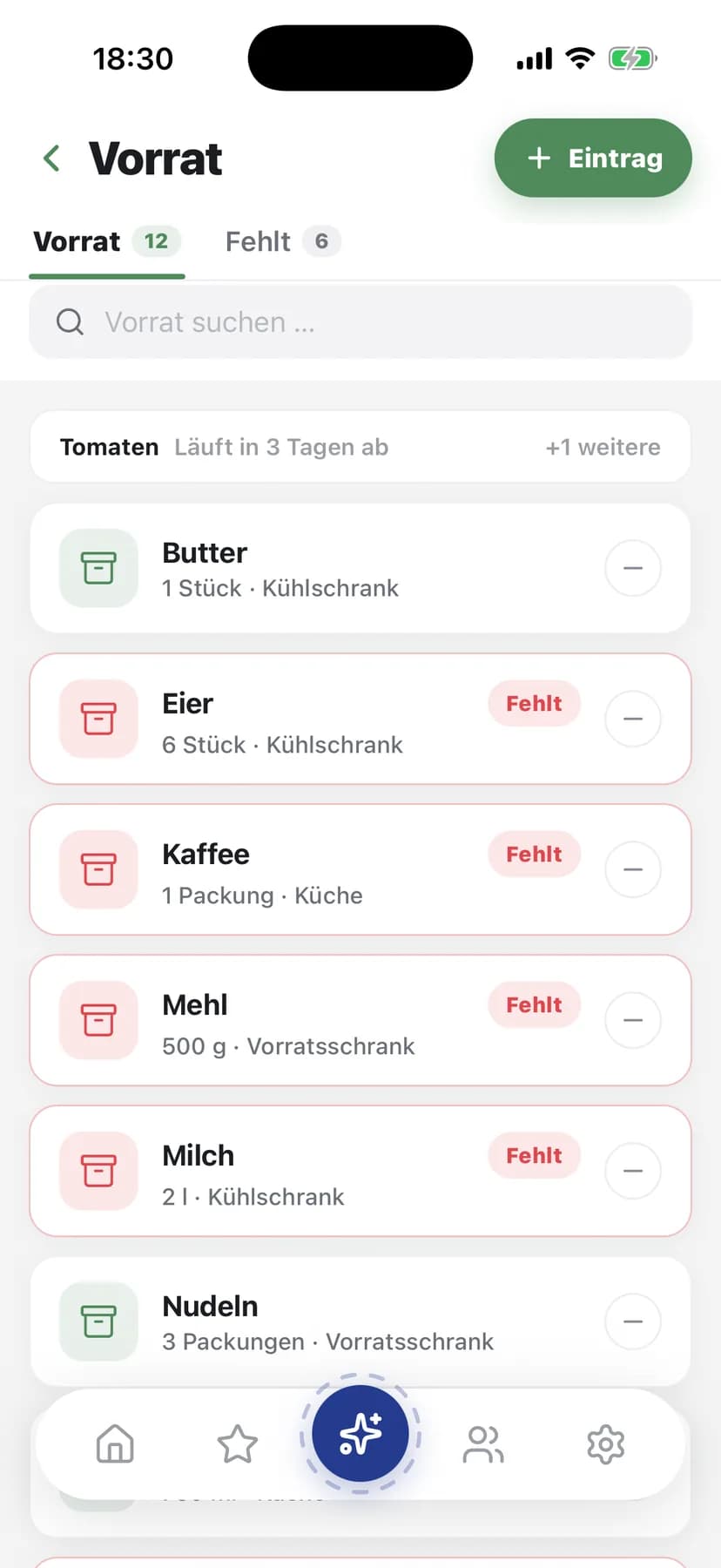
A task has a state from "Someday" to "Done", a priority, someone responsible and subtasks where you need them. Recurring ones get a rota: you set who takes part, and after each round it is the next person's turn. Start a timer if you like, and the history shows who changed what and when.
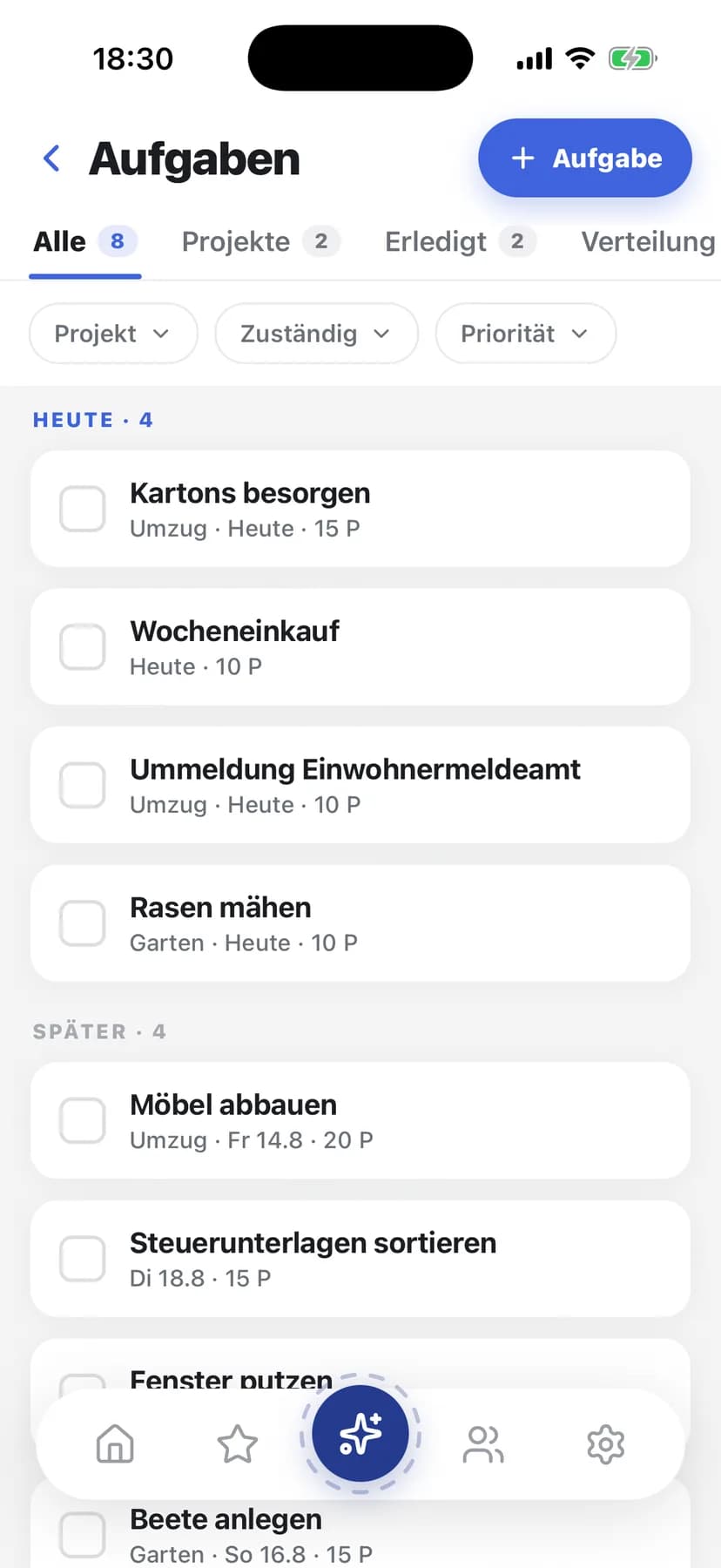
From sown to harvested, with care showing up in your tasks
Every plant runs through its life from planned to sown, growing, fruiting and harvested. You lay out beds with their sun exposure, schedule watering and care with due dates, and record the harvest. Whatever is due also shows up in your task list, without turning into thirty separate tasks.
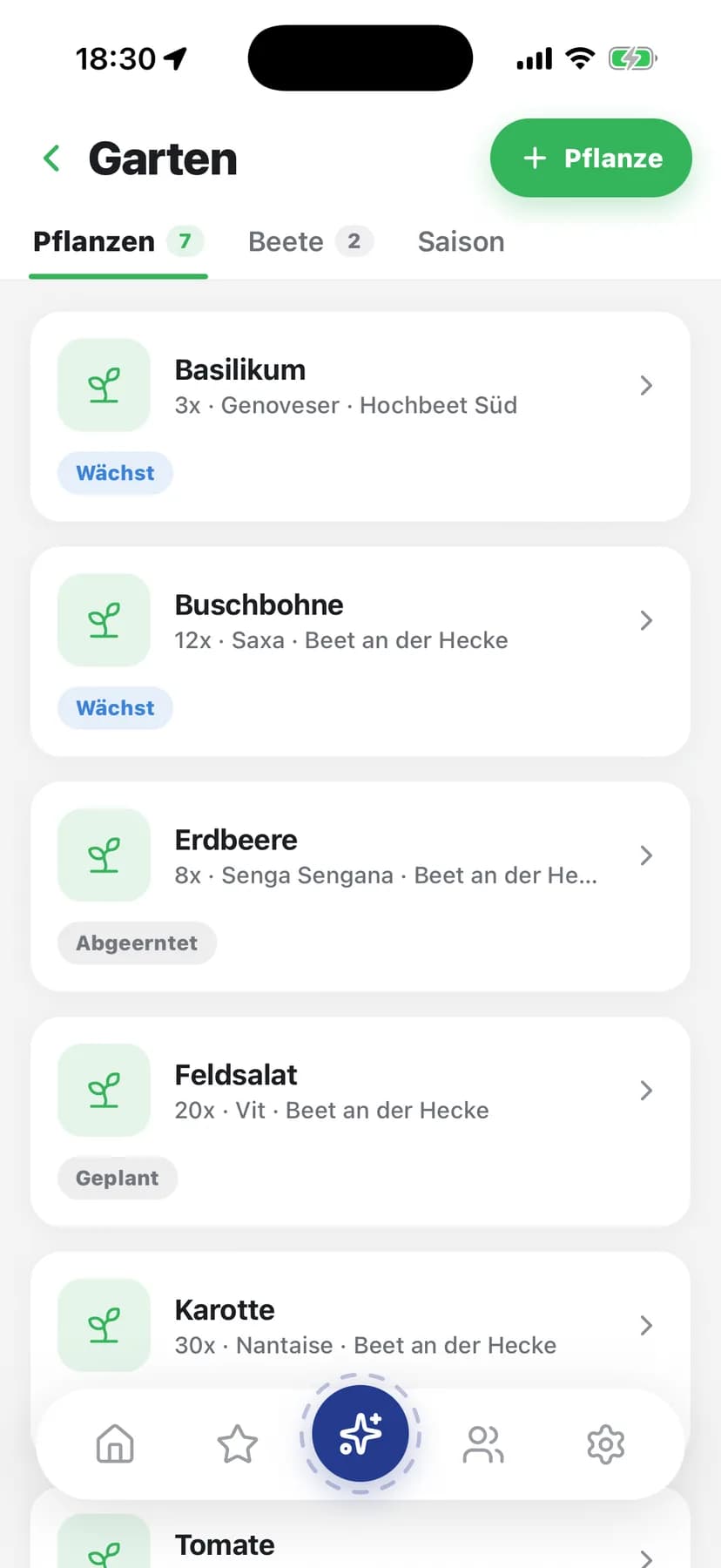
Where is the spare key?
Record your items with category, value, purchase date, warranty and serial number, and sort them into storage boxes like crates, shelves or drawers, so you find everything again. Keep track of what is lent out: to whom, since when and until when, with an overdue warning. Search, filters and sorting take you to the right piece fast.
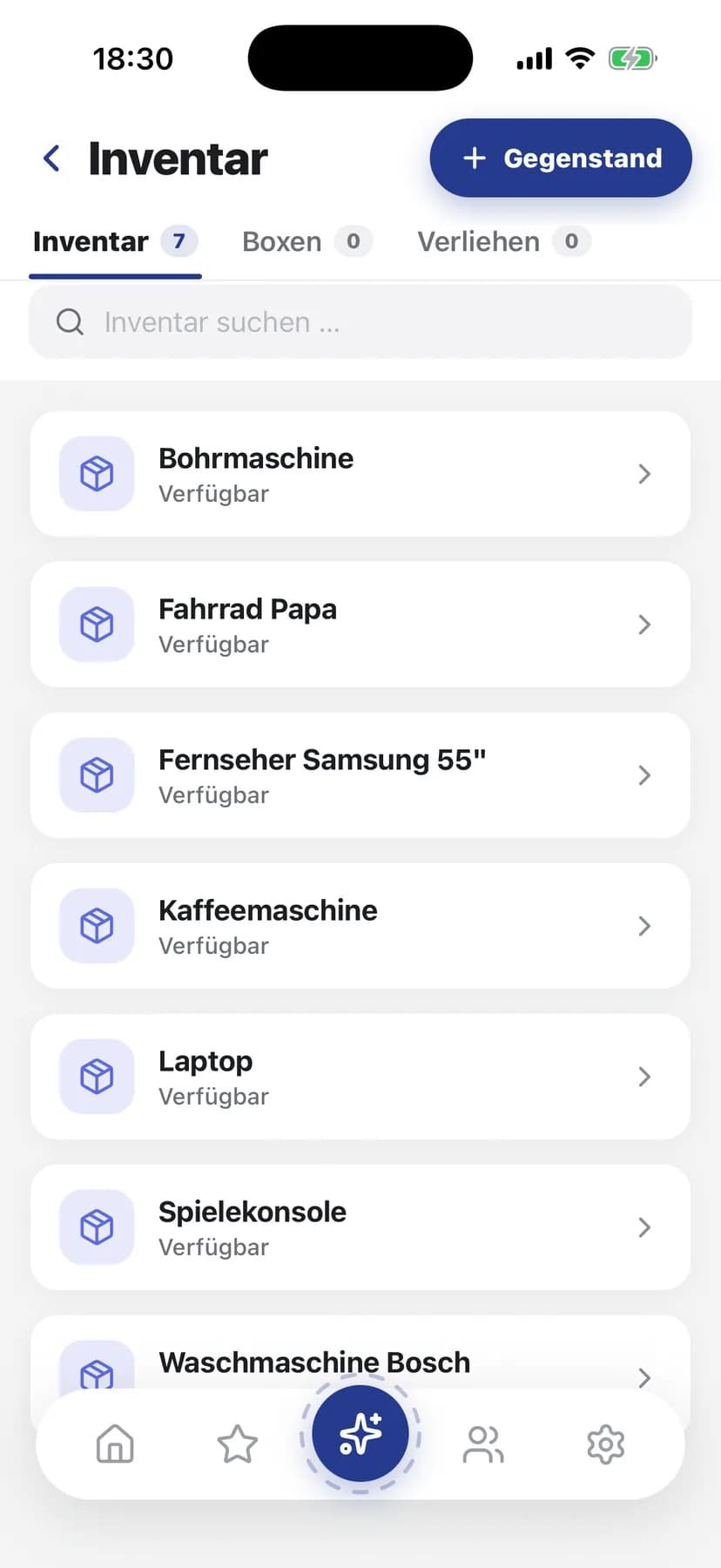
A minimum per item, and you decide what gets restocked
Each entry has an amount with a unit, a place like the fridge or the cellar and, if you want, a best-before date. Set a minimum and anything below it lands in the "Missing" tab. From there you move it onto the shopping list, item by item. The pantry never adds anything by itself, and if you keep no minimum you are never nudged.
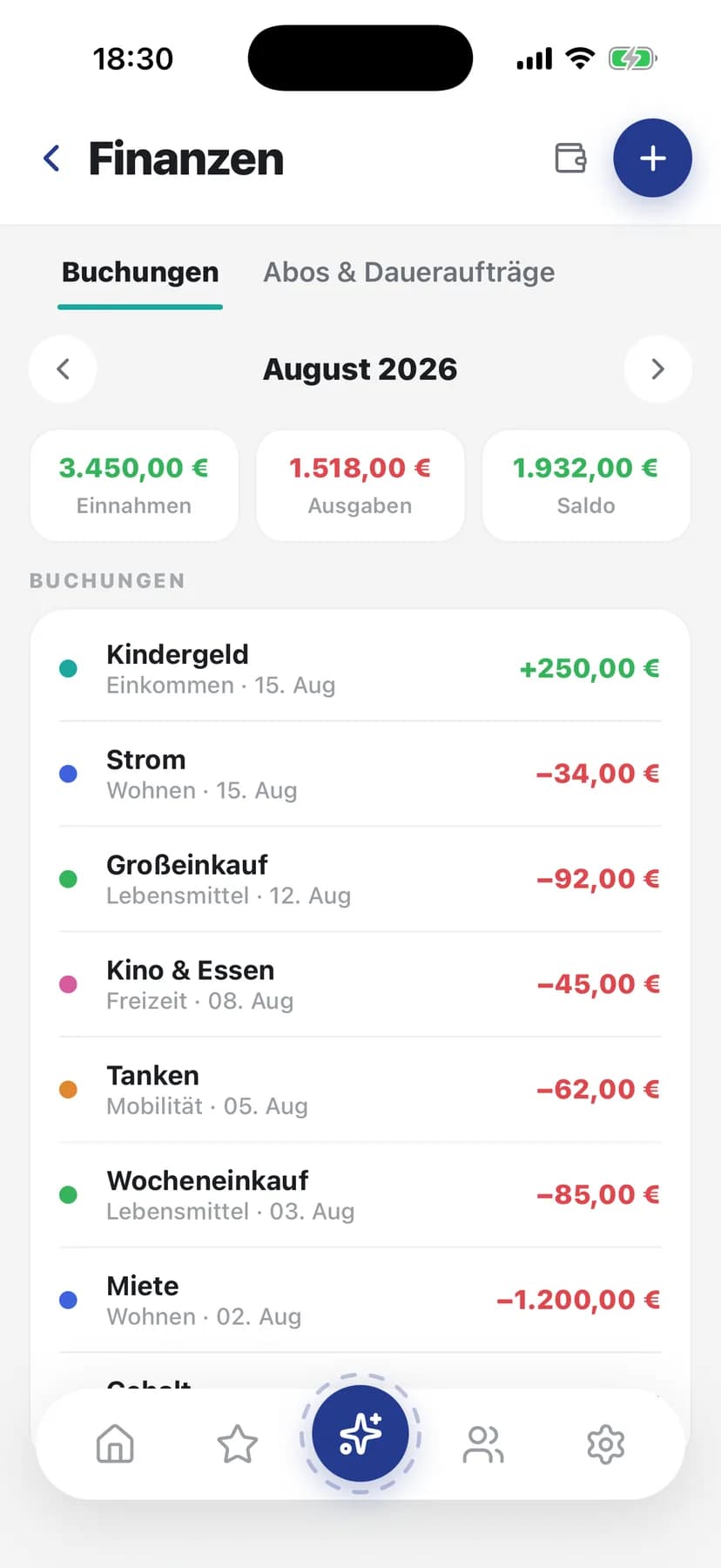
At the end of the month you know where the money went
Record income and expenses by category and person, and recurring items post automatically if you want. Set budget limits per category and get warned as soon as you approach the line. And for the next holiday or a new couch you save together toward a family goal, with deposits and progress.
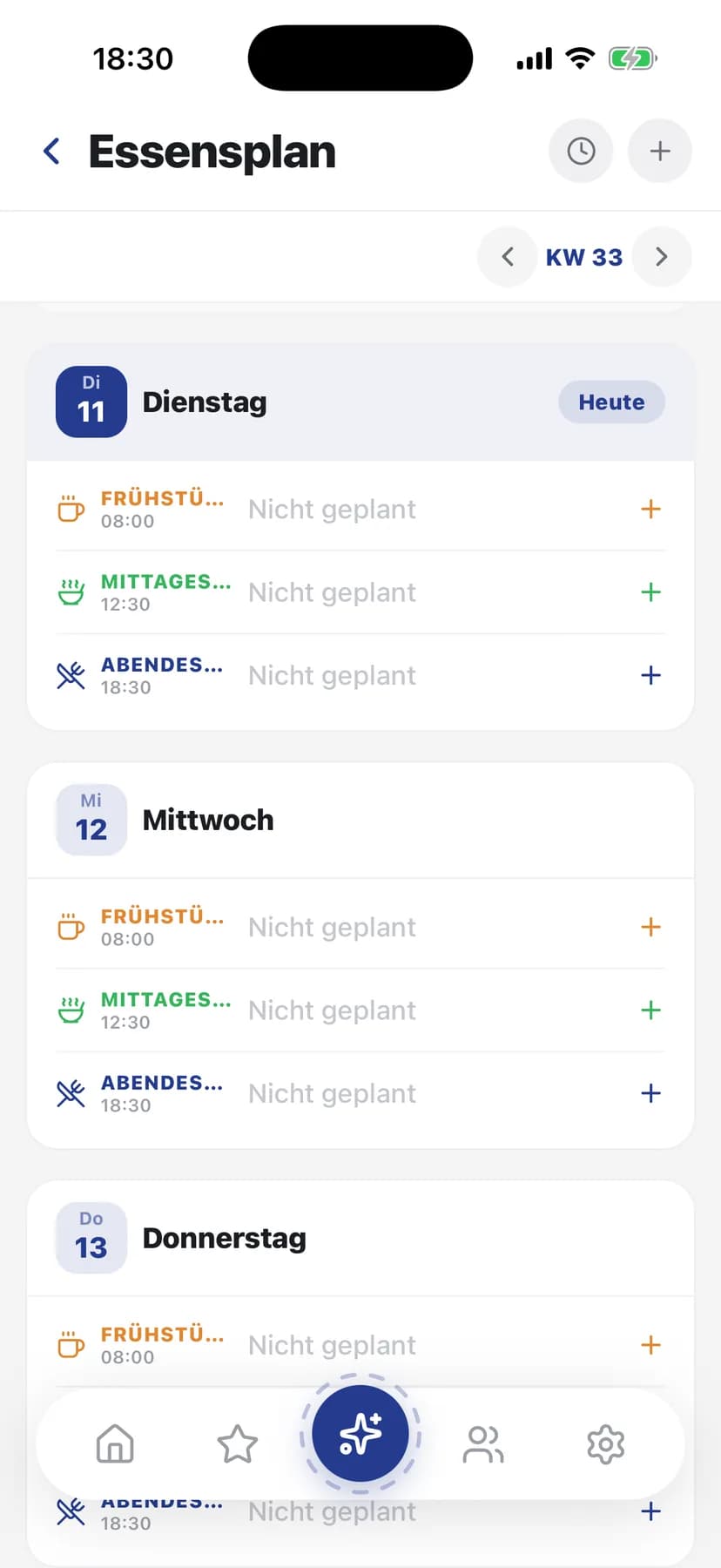
Friday is settled before Monday even starts
Plan breakfast, lunch, dinner or a snack for each day, either from your recipes or as free text, with servings and a note on who cooks. For a recipe you send the ingredients to the shopping list with a tap. No more daily "what is for dinner?", and nothing is missing when you shop.
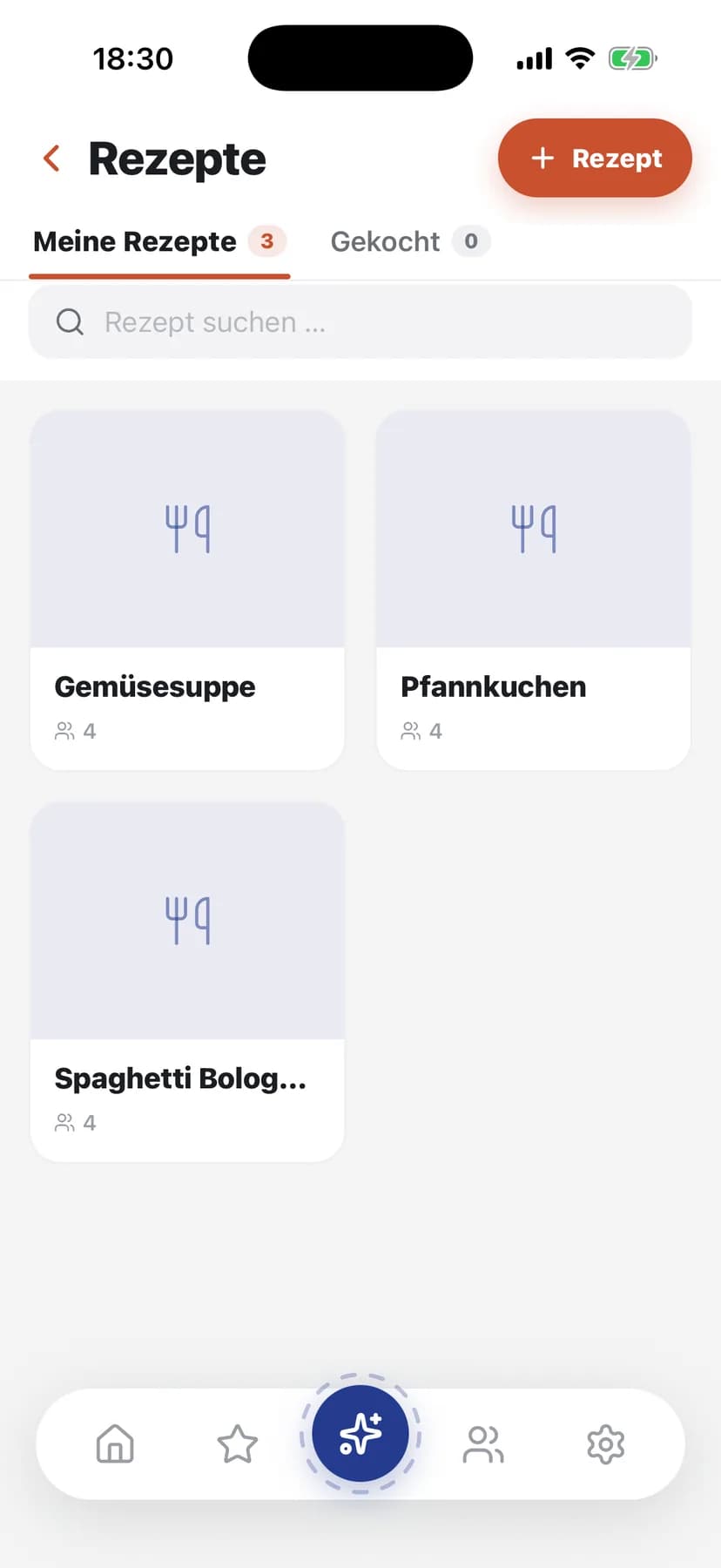
The recipe that always works, findable again
Collect recipes with ingredients, steps, times and difficulty in one place and share them within the group. Everyone gives stars, so the favorites rise to the top on their own. In the meal plan you pick a recipe with a tap, and from there the ingredients land on the shopping list.
Household on its own
Take one area for 2,99 € / month and pick this one. Two areas cost 5,49 €, and all four are 9,99 €/ month.
Build your own Monkly
The other four areas. You unlock them as packages, and you decide which ones are in.
Just get started
Getting started is free forever, you need no payment details, and you can delete your account yourself at any time.